Skip to product information
1 of 20

wishinabox

CATRONICS 9.6″ Tesla Instrument Cluster HUD – Linux Display with Wireless CarPlay & Android Auto, Blind Spot Alerts

CATRONICS 9.6″ Tesla Instrument Cluster HUD – Linux Display with Wireless CarPlay & Android Auto, Blind Spot Alerts

Regular price $481.36 AUD
Regular price $0.00 AUD Sale price $481.36 AUD
Sale Sold out
Shipping calculated at checkout.
Color
Quantity
0
Share
🚗 Product Overview

The CATRONICS 9.6″ Tesla Instrument Cluster HUD adds a dedicated driver-focused display with real-time vehicle data, blind-spot alerts, and wireless smartphone integration. Built on a stable Linux system, it delivers smooth performance, clear visuals, and safer at-a-glance driving information.

AU Road Safety Notice: This product is a driver-assistance display. Configure settings while parked and always comply with road rules.
✨ Key Features
  • 📺 9.6″ IPS full-view touch screen (1920×480P)
  • ☀️ Clear visibility even in strong sunlight
  • 🧠 Linux operating system – smooth & stable
  • 📱 Wireless CarPlay & Android Auto support
  • 🔔 Speed, tire pressure, seat belt & safety alerts
  • 👁️ Blind-spot & side vehicle approach warnings
🔗 Compatibility
  • Designed for compatible Tesla vehicles
  • Supports steering wheel controls
  • Syncs original vehicle driving data
📦 Specifications
  • Brand: CATRONICS
  • Screen Size: 9.6″ IPS
  • Resolution: 1920 × 480
  • System: Linux
  • Connectivity: Wireless CarPlay, Android Auto, Carlife
  • Audio: Built-in speaker + original car speaker support
  • Updates: OTA online updates supported
  • Origin: Mainland China
  • High-Concerned Chemical: None
🎁 Gift-Ready Highlights
🚘 Tesla Upgrade 📱 Wireless CarPlay 👁️ Blind Spot Warning 🔔 Safety Alerts 🎁 Premium Car Gift
🛠️ How to Use
  • Install using the recommended mounting location
  • Connect according to your vehicle CPU type
  • Power on and pair your phone wirelessly
  • Customize display & alerts via the touch screen
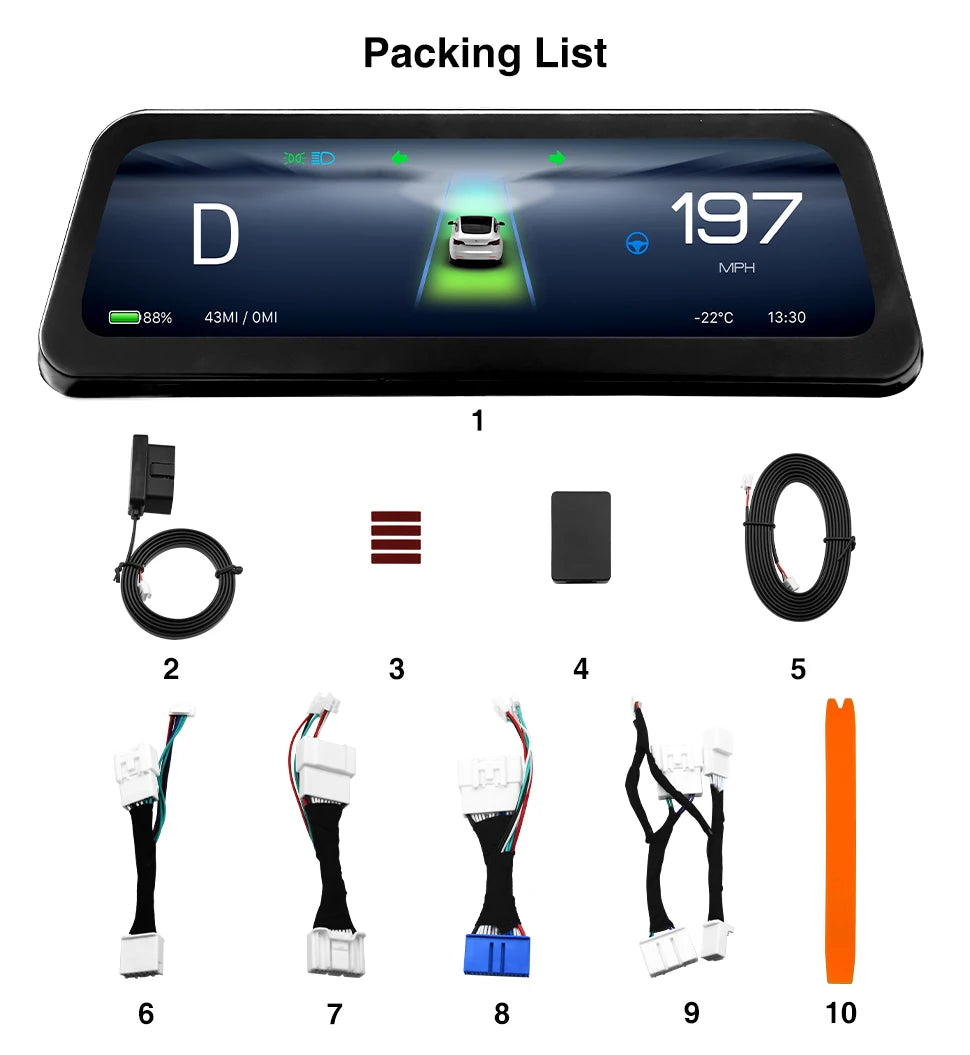
📦 What’s in the Box
  • 9.6″ Instrument Cluster HUD ×1
  • Wiring & mounting accessories
  • User manual
❓ FAQ / Important Notes
  • Professional installation recommended for best results
  • Some installation positions may limit certain features
  • OTA updates require Wi-Fi or Bluetooth connection
View full details