Skip to product information
1 of 16

wishinabox

Ergonomic Keyboard & Mouse Combo – Dual Connectivity, Multimedia Keys

Ergonomic Keyboard & Mouse Combo – Dual Connectivity, Multimedia Keys

Regular price $73.20 AUD
Regular price $0.00 AUD Sale price $73.20 AUD
Sale Sold out
Shipping calculated at checkout.
Color
Quantity
0
Share
⌨️🖱️ Product Overview

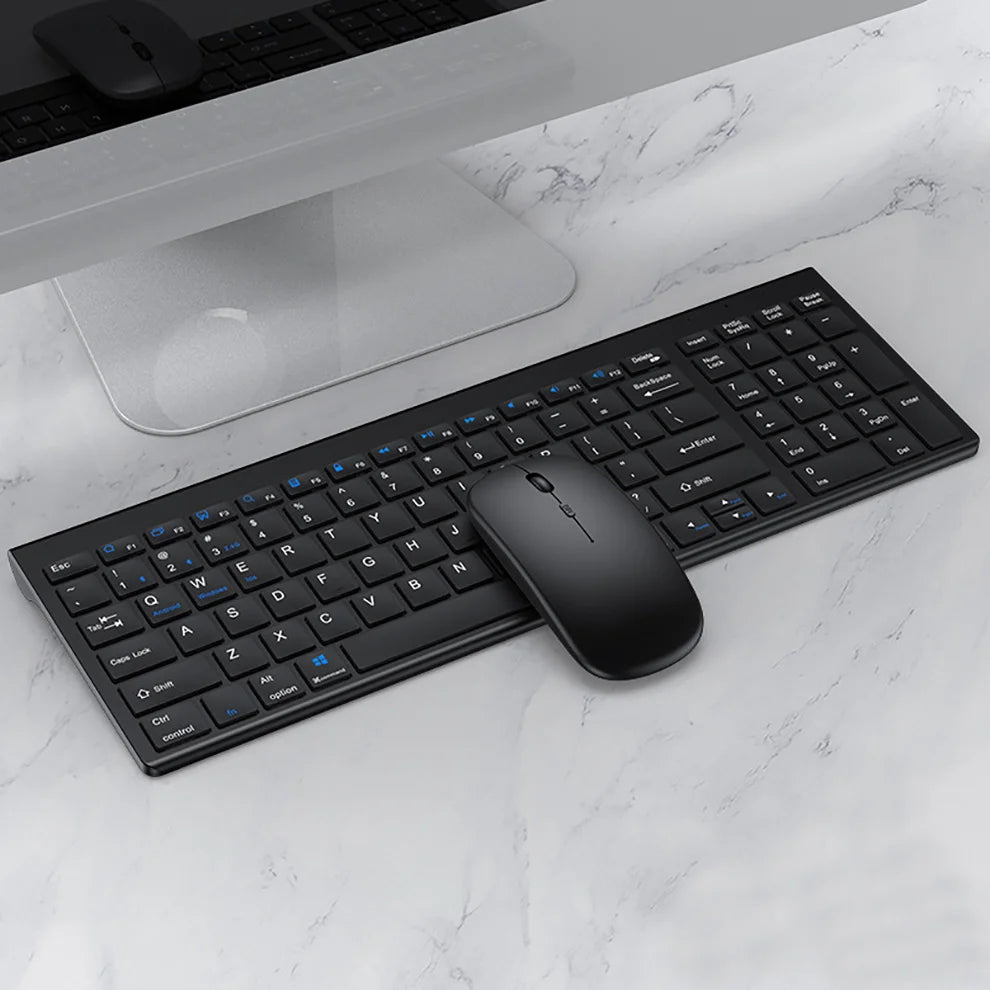
The JOMAA Wireless Keyboard & Mouse Combo is a slim, ergonomic solution designed for laptops and everyday desktop use. With dual-mode connectivity (Bluetooth + 2.4G), multi-device switching, and multimedia function keys, it delivers a clean, cable-free workspace for work, study, and light gaming.

Bluetooth + 2.4G Multi-Device Ergonomic
✨ Key Features
  • Dual-mode wireless connection: Bluetooth and 2.4G USB receiver
  • Multi-device pairing with quick switching (FN+1 / FN+2 / FN+3)
  • Slim, ergonomic keyboard for comfortable long-term typing
  • Wireless mouse with precise 1600 DPI optical tracking
  • Integrated multimedia function keys for fast control
  • Rechargeable power for keyboard and mouse
🔗 Compatibility
  • Laptops and desktop computers
  • Bluetooth-enabled devices
  • USB-A devices using 2.4G receiver
📋 Specifications
  • Brand: JOMAA
  • Type: Wireless Keyboard & Mouse Combo
  • Keyboard Connection: Bluetooth / 2.4G Wireless
  • Mouse Connection: Wireless
  • Mouse DPI: 1600 DPI
  • Supports Ergonomics: Yes
  • Multimedia Keys: Yes
  • Power: Rechargeable (Battery Included)
  • Certification: CE, RoHS
  • Origin: Mainland China
🎁 Gift-Ready Highlights
  • Clean, modern gift for laptop and office users
  • Multi-device support reduces desk clutter
  • Slim profile suits travel and minimalist setups
🧭 How to Use
  • Turn on the keyboard using the power switch
  • For 2.4G: Insert USB receiver and press FN+~ to connect
  • For Bluetooth: Hold FN+1 / FN+2 / FN+3 to pair devices
  • Press FN+1 / FN+2 / FN+3 / FN+~ to switch between devices
📦 What’s in the Box
  • 1 × JOMAA Wireless Keyboard
  • 1 × JOMAA Wireless Mouse
  • 1 × USB 2.4G Receiver
  • 1 × Charging Cable
❓ FAQ / Important Notes
Important: For first-time use, ensure the keyboard is switched to the correct system mode. Failure to do so may affect function key behaviour.

Bluetooth connection range is typically 5–10 meters depending on environment and device language settings. If pairing fails, delete the previous record and retry pairing.

View full details